
November 17 2011
iPhone Tip: Tether to your Mac
No, not the iOS Personal Hotspot. I meant the other direction. Here is how to share your Mac’s internet connection with your iPhone or iPad.
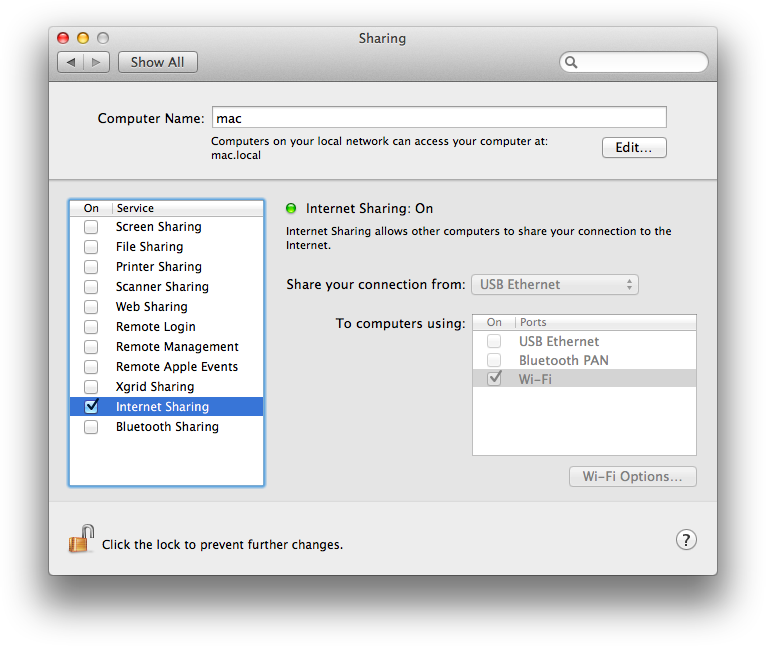
Simply go into System Preferences and click on “Sharing”. In “Sharing”, select “Internet Sharing” and click “Wi-Fi Options…” to configure the network name. Then, just check the box for “Internet Sharing”.

Very useful in some instances.


